Creating a full stack web, or mobile app can difficult as solo developer at times, there can be a lot of code to look out for to make sure your app is secure and efficient. Especially while creating a backend, and sometimes you need much more simplified backend, and it seems a bit tedious and time inefficient to create whole API for simple picture upload application. This where tools like Google’s Firebase come in a cloud-based storage/backend for your apps. Firebase makes it much easier and quicker to make a backend with built in features like:
- Cloud Messaging: Deliver and receive messages in a more reliable way across platforms
- Authentication: Have a lot less friction with acclaimed authentication
- Hosting: Deliver web content faster
- Remote Configuration: Customize your app on the go
- Test Lab: Test in the lab instead of on your users
- Crash Reporting: Keep your app stable
- Realtime Database: Store and sync app data in realtime
- Storage: File storing made easy
(1). Firebase is a collection of products to help build add in the data and feature needed to create a modern professional level application, in this blog we will primarily be focused on Firestore. Firestore is NoSQL (non-relational) document database that allows to easily store, sync, and query data for a mobile and web applications (2). The user friendly interface allows you to build collections (basically a DB table for non-relational databases) by simply creating a project and then creating a db and then any collection you want. So lets do a simple walk through of creating a Firebase app.
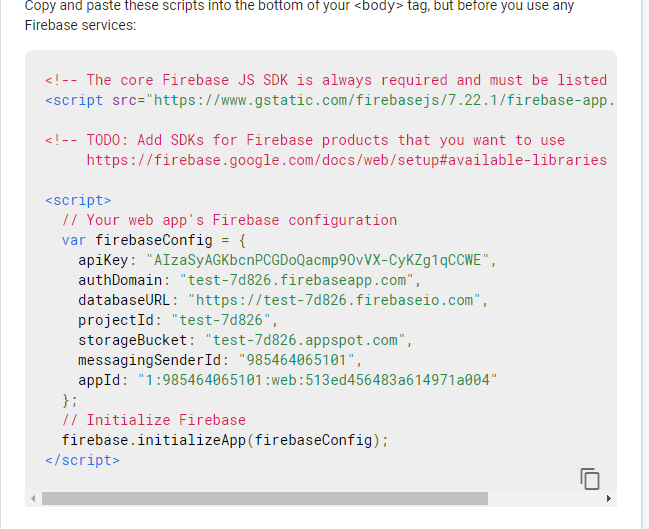
First go to https://console.firebase.google.com/ (sign into gmail) then click Add project, then name the project. Decide whether you want google analytics that’s up to you on a case by case basis, if you are developing a larger scale app you might like some of these features. Then once your project is created, you will be brought to the firebase overview page and you will see in the middle a git started by creating an app click on one of the three options and register your app. This will then present you with an SDK code snippet to link your app to firebase.
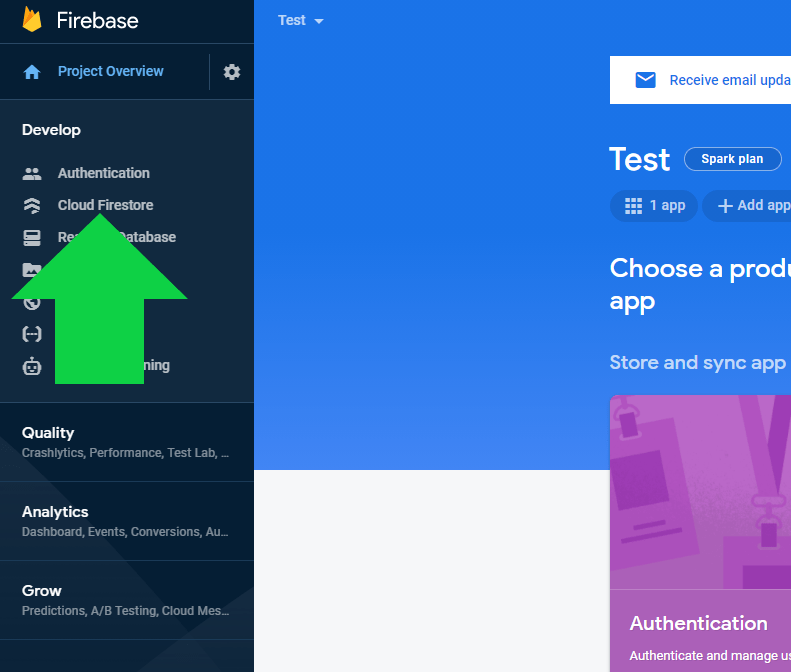
After which continue to the console you will see a taskbar on the left side from there click Develop then click Cloud Firestore.
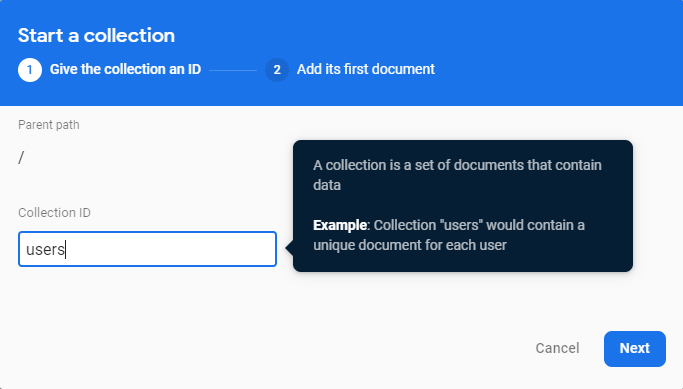
This will bring you to the Firestore page which will allow you to make collections, rules, indexes and have metadata on usage. Click on the Data tab to create a collection, then click on create collection name the collection, I chose users then you can structure and fill out the collection accordingly.
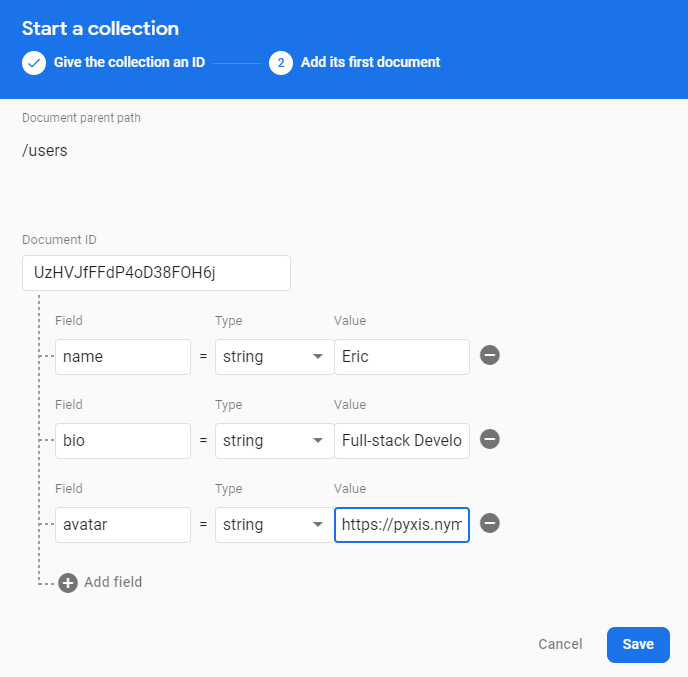
They have a variety of data structure to pick from but overall, you can change these no matter what and NoSQL database don’t really care about the data structure anyways, so I wouldn’t worry about it anyways. Along with this you can give the structure an initial value if you want, like I did or leave it blank.
Sources:
 I Feel All Sorts of Ways About Programming