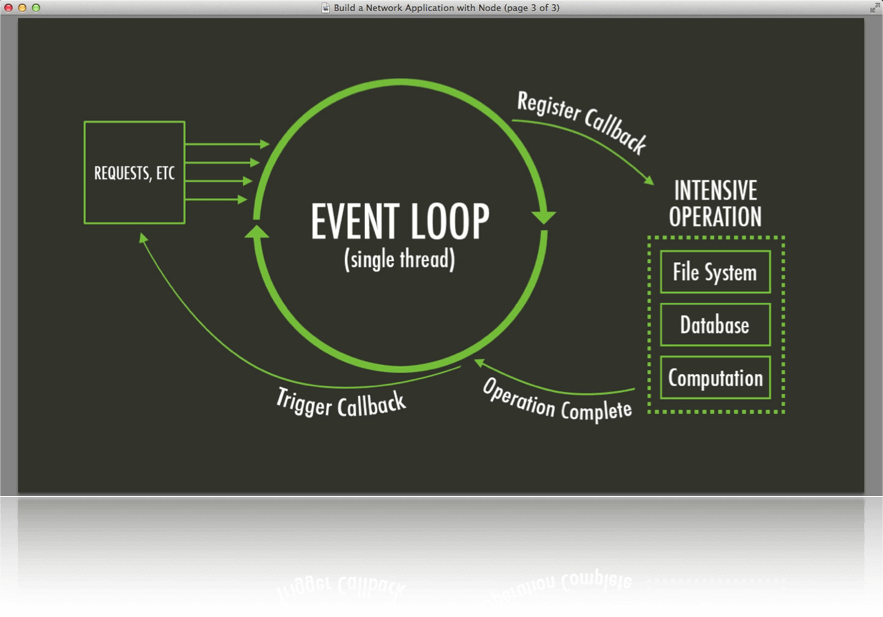
Fetch is the most convenient way for JavaScript developers to make any kind of HTTP request to a server. Fetch will gather or upload data asynchronously meaning that although JavaScript is a single threaded language (one process at a time) fetch can do its work in the background while it waits for the server to respond in order to not stall and bottleneck your code. This is done using ES6 Promises which take advantage of the micro-task queue which is a higher priority queue which will return before the callbacks inside the message queue, so it can return and be executed before the currently running process in a way (1). Here is useful diagram of an asynchronous process in JavaScript.
Fetch has a total of five main methods GET, POST, PATCH, PUT, DELETE, and HEAD, I will be covering five of them (GET, POST, PUT, PATCH, and DELETE). Fetch actually only returns a promise so we must use a special function called “then” that waits for a promise to get fulfilled and then the “then” function can be used to return the data or to be used in a different ways. First and most simple is the GET method which is formatted like this.
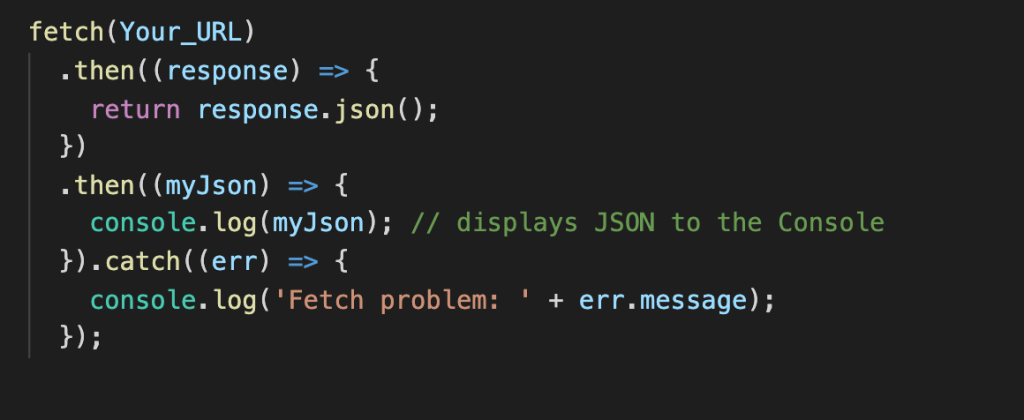
As you can see this function simply makes a request to a URL then once that promise is fulfilled returns the data in JSON form then console logs that data. Then the catch is always a good idea to handle errors so you know what error you ran into. The Second method I will talk about is POST, this is when you a create new data to send and be saved to the database or file. This follows the format of first declaring the fetch and the URL then inside the fetch you must specify the method type (POST), headers, and body. So for example if you had a database full of users you could create a user like so.
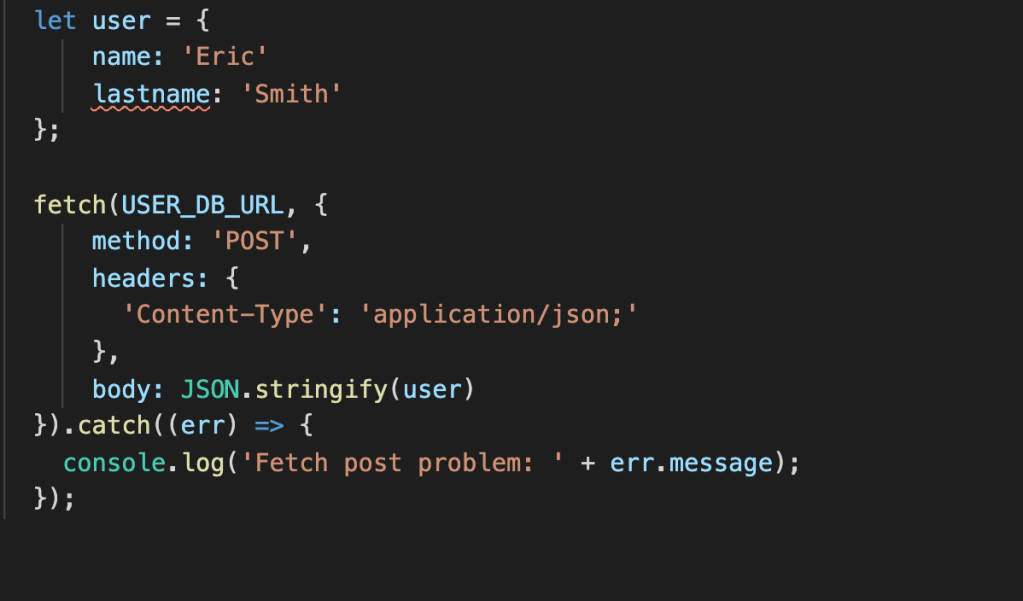
The content type in the header specifies what the media type is that is being sent to the server, in this case JSON. Next the body is just the data itself that is being sent in this case we formate it with JSON.stringify to properly input it into the database. The next method is PUT which is similar to POST method but is used to update an existing resource rather than creating a new one, here is an example of a PUT.
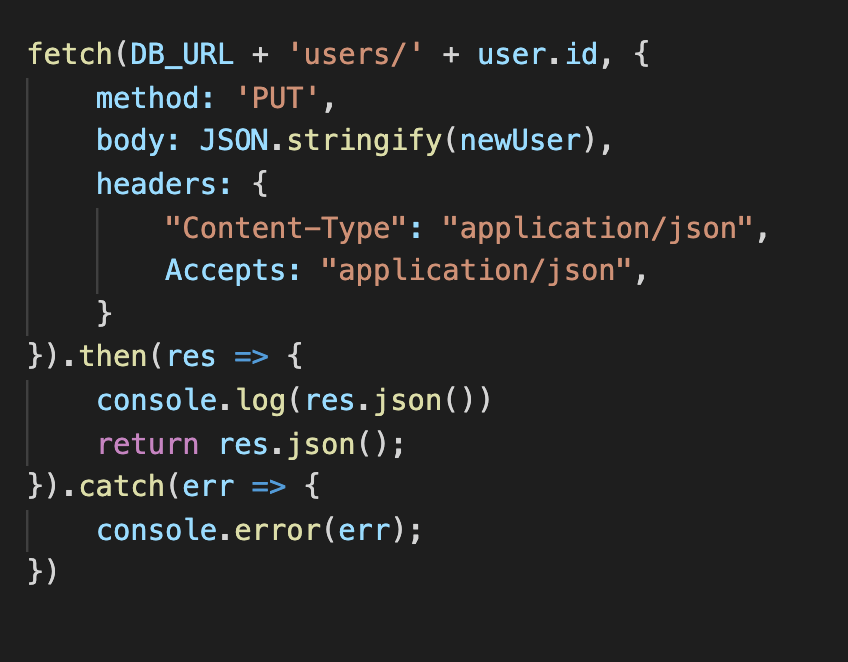
As you can see PUT is very similar to POST but the URL it goes to is slightly changed to be the exact content in the database you are trying to change. An even more similar fetch method is PATCH, which is exactly the same as PUT but with two exceptions method: ‘PATCH’ obviously, and the data being passed in does not need to be a whole user object (or whatever table in your db you’re trying to change). It can just be the key value pairs of the objects fields you are trying to change. Example
body: JSON.stringify({username: Jason})
This will go to the indicated URL and only update the username and does not need to pass in a full user object like PUT.
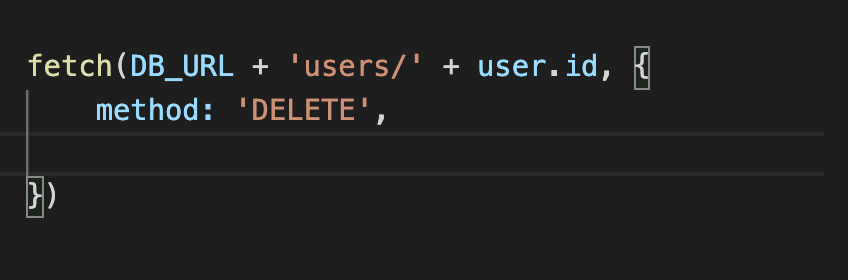
Lastly the simplest method DELETE doesn’t need all of the headers or anything it just needs the exact path of the DB resource and the method DELETE.
Thats all the basic information you need to start using fetch in your projects I hope it was helpful.
Sources:
Images:
 I Feel All Sorts of Ways About Programming